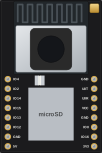
Prusa Connect ESP32 Cam
Official Prusa firmware that turns an ESP32-CAM into a camera for Prusa Connect: watch your prints from anywhere.
Chipnik catalog@chipnik-catalogWhat you need
- Board
- One of 2 boards: ESP32-CAM, Seeed XIAO ESP32S3
- Parts
- Nothing else, the board is enough
- Also
- Wi-Fi network
Prusa Connect ESP32 Cam is the firmware by Prusa Research that sends snapshots from an ESP32-CAM to Prusa Connect, so you see your 3D print in the browser or app from anywhere. It also has a local web page with a live stream, photo settings, flash LED control and time-lapse to the microSD card. Original project by Prusa Research on GitHub, GPL-3.0. Chipnik hosts the release binaries unchanged so you can flash them from the browser.
After flashing, the camera opens a Wi-Fi access point for setup. Add a camera in Prusa Connect, copy its token and paste it on the camera's web page.
The XIAO ESP32S3 build is for the Sense version with the camera.
Firmware files come from the v1.1.2 release.
After flashing
From the author’s guide:
- After flashing, the camera opens a Wi-Fi access point for setup. Add a camera in Prusa Connect, copy its token and paste it on the camera's web page.
Versions
1.1.2 added to Chipnik 2026-11-05
Release v1.1.2 of prusa3d/Prusa-Firmware-ESP32-Cam, files unchanged. Release notes on GitHub