XiaoZhi AI
Voice assistant you build on a breadboard: talk to a large language model, it answers aloud and controls devices.
Chipnik catalog@chipnik-catalogWhat you need
- Board
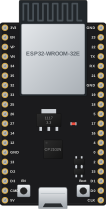
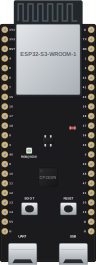
- ESP32-S3 DevKit
- Parts
- I2S microphone INMP441, I2S amplifier MAX98357A, Speaker 4 to 8 ohm, 3 W, OLED display SSD1306 128x32, Breadboard and jumper wires
- Also
- Wi-Fi network
XiaoZhi AI is a voice chatbot on an ESP32-S3. Say the wake word, ask anything, and it streams your voice to a large language model and speaks the answer back. It understands many languages, remembers the conversation and can control lights and other devices through MCP tools. Original project by 78 on GitHub, MIT. Chipnik hosts the release binaries unchanged so you can flash them from the browser.
This is the breadboard build: an ESP32-S3 DevKit with an INMP441 microphone, a MAX98357A amplifier with a small speaker and an SSD1306 OLED screen. The wiring is in the project docs.
By default the board talks to the free xiaozhi.me cloud server run by the authors in China, where you bind it with a code shown on the screen. You can also run your own server from the open xiaozhi-esp32-server project.
Firmware files come from the v2.5.2 release.
Parts
Buy everything for this project
- ESP32-S3 DevKitC N16R8BuyAliExpress
- 1 × I2S microphone INMP441BuyAliExpress
After flashing
- The board restarts by itself when flashing is done.
- The project needs Wi-Fi. How to connect it is in the project text or in the source repository.
- If nothing happens, press the RST (EN) button once.
Versions
2.5.2 added to Chipnik 2026-11-05
Release v2.5.2 of 78/xiaozhi-esp32, files unchanged. Release notes on GitHub