CYD with one USB and with two: the difference
Both boards are labelled ESP32-2432S028. The one-port board has micro-USB and an ILI9341 screen. The two-port board has micro-USB and USB-C, and firmware for the one-port board shows inverted colors on its screen. Count the ports and flash the build for your variant.
Updated November 6, 2026
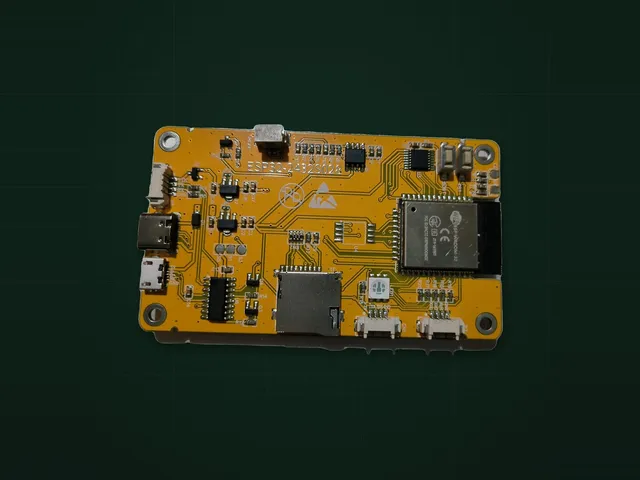
What is different
| One USB | Two USB | |
|---|---|---|
| USB ports | Micro-USB | Micro-USB and USB-C |
| Screen in the Chipnik variant | ILI9341 | ST7789 |
| Firmware for the one-port board | Colors are correct | Colors are inverted |
| USB-C to USB-C cable | No USB-C port | Does not work, the port has no CC resistors |
| USB chip | CH340 | CH340 |
| Chip and flash | ESP32, 4 MB | ESP32, 4 MB |
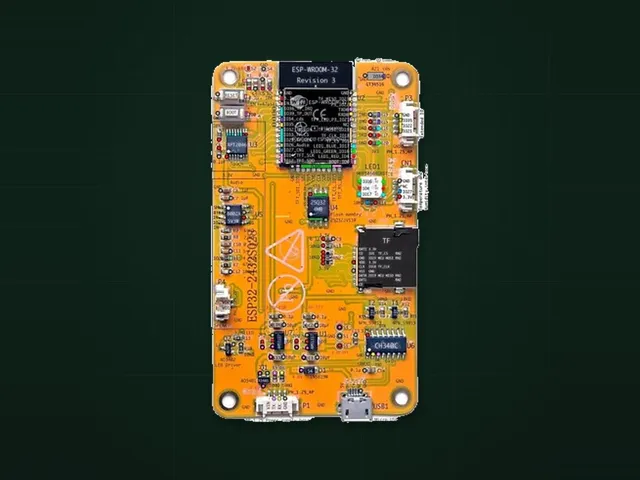
How to tell them apart
Count the ports on the edge of the board. The label does not help, both boards carry the same model number.
Sellers also change screens between batches. If a board shows a white screen or wrong colors, flash the other variant: the wrong build does not damage anything.
Which firmware to flash
On Chipnik every project lists its builds by variant, and the Flash block asks which one you have. A project with only one of the two variants may show wrong colors on the other board. The flashing guide has the steps.
Flash results by variant are on the statistics page once enough people have flashed each one.
In your own code
With TFT_eSPI use the setup file for the two-port board from the CYD repository, or call tft.invertDisplay(1); after starting the screen.
Boards in this guide
Projects for this board
CarCYD
Car gauge cluster and OBD-II scanner on the yellow display: revs, speed, live engine data and fault codes.No solderingAbout 15 min 1 boardBesides the board: ELM327 OBD-II adapterBoard photo
CYD Diagnostic Tool
Finds out which Cheap Yellow Display you really have and tests its screen, touch, LED, SD, light sensor and speaker.No solderingAbout 5 min1 boardJust the boardBoard photoCYD PhotoFrame
Digital photo frame on the yellow display: a slideshow from the microSD card with a clock and uploads over Wi-Fi.No solderingAbout 5 min1 boardBesides the board: microSD cardCYD Weather Dashboard
Weather station on the yellow display: five-day forecast, hourly timeline, graphs and the current conditions.No solderingAbout 10 min1 boardJust the board