How to flash a Cheap Yellow Display
Open a project for the Cheap Yellow Display, pick the variant that matches your USB ports, connect the board with a data cable and press Flash. It works in Chrome, Edge, Opera and Yandex Browser, and in Firefox from version 151, on a computer. You install nothing, except sometimes the CH340 driver.
Updated November 6, 2026
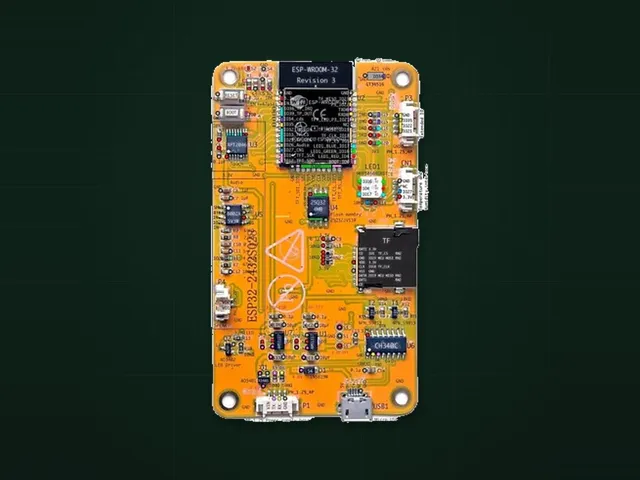
Check that it is a CYD
The model number ESP32-2432S028 is printed on the back of the board, next to the speaker connector. Boards with other numbers can look the same and use other screens and pins, so firmware for the CYD may not work on them.
Flash it
- Count the USB ports. One micro-USB port is the ILI9341 variant. Micro-USB and USB-C side by side is the ST7789 variant. More in CYD with one USB and with two.
- Open a project for this board and pick your variant in the Flash block.
- Connect the board with a cable that carries data. Many phone charging cables only carry power, and the board will not show up with them.
- Press Flash and pick the port. On Windows it is called USB-SERIAL CH340.
- Wait until it finishes. The site downloads the firmware, checks its signature and checksums, writes it and verifies it. The firmware that was on the board is replaced.
The USB-C port on the two-port board does not work with USB-C to USB-C cables. Use micro-USB, or a cable with USB-A on the other end.
If it does not connect
- The port is not in the list: try another cable and another USB port, then install the CH340 driver.
Failed to connector it hangs on Connecting: hold BOOT, press and release RST, release BOOT, then press Flash again.Wrong boot mode detected (0x13): the board did not switch to its bootloader by itself. The same BOOT and RST buttons help. The CYD community guide also describes a hardware fix with a larger capacitor between EN and GND.- The port is busy: close Arduino IDE, the PlatformIO serial monitor and any other program that may hold the port, then reconnect the board.
- Ubuntu and similar systems: remove the
brlttyservice and add your user to thedialoutgroup.
If the screen looks wrong after flashing
- White screen or wrong colors: you probably have the other variant. Flash the same project again with the other variant.
- Dark screen: press RST once. Then try another USB power source and another cable.
- GPIO21 drives the backlight. Keep anything you connected yourself off this pin.
Boards in this guide
Projects for this board
CarCYD
Car gauge cluster and OBD-II scanner on the yellow display: revs, speed, live engine data and fault codes.No solderingAbout 15 min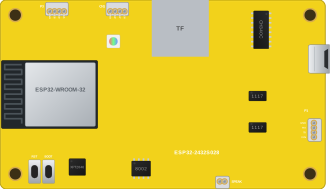 1 boardBesides the board: ELM327 OBD-II adapterBoard photo
CYD Diagnostic Tool
Finds out which Cheap Yellow Display you really have and tests its screen, touch, LED, SD, light sensor and speaker.No solderingAbout 5 min1 boardJust the boardBoard photoCYD PhotoFrame
Digital photo frame on the yellow display: a slideshow from the microSD card with a clock and uploads over Wi-Fi.No solderingAbout 5 min1 boardBesides the board: microSD cardCYD Weather Dashboard
Weather station on the yellow display: five-day forecast, hourly timeline, graphs and the current conditions.No solderingAbout 10 min1 boardJust the board